
BScriptView · Freeware for macOS and the web
See a Bitcoin transaction byte by byte.
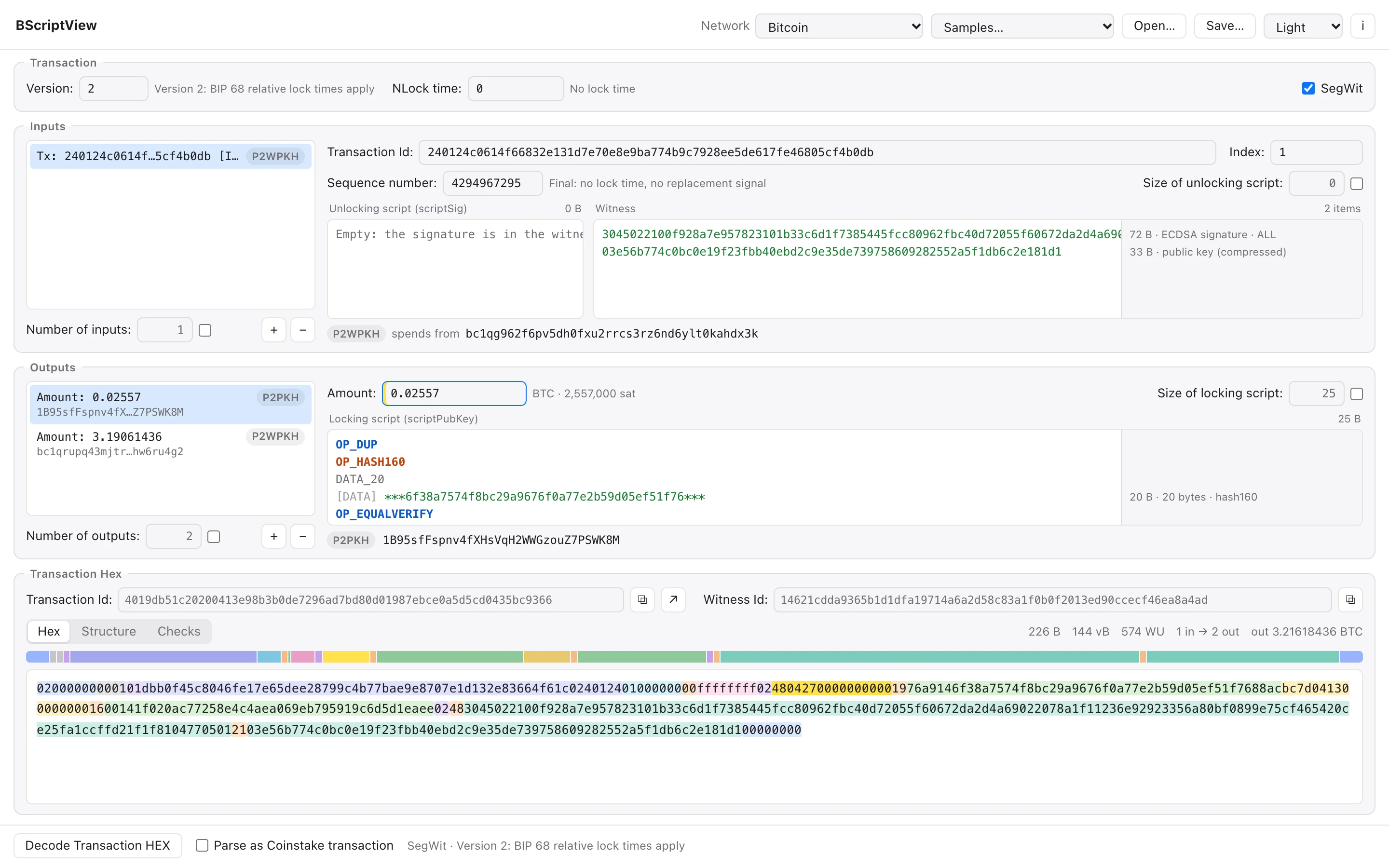
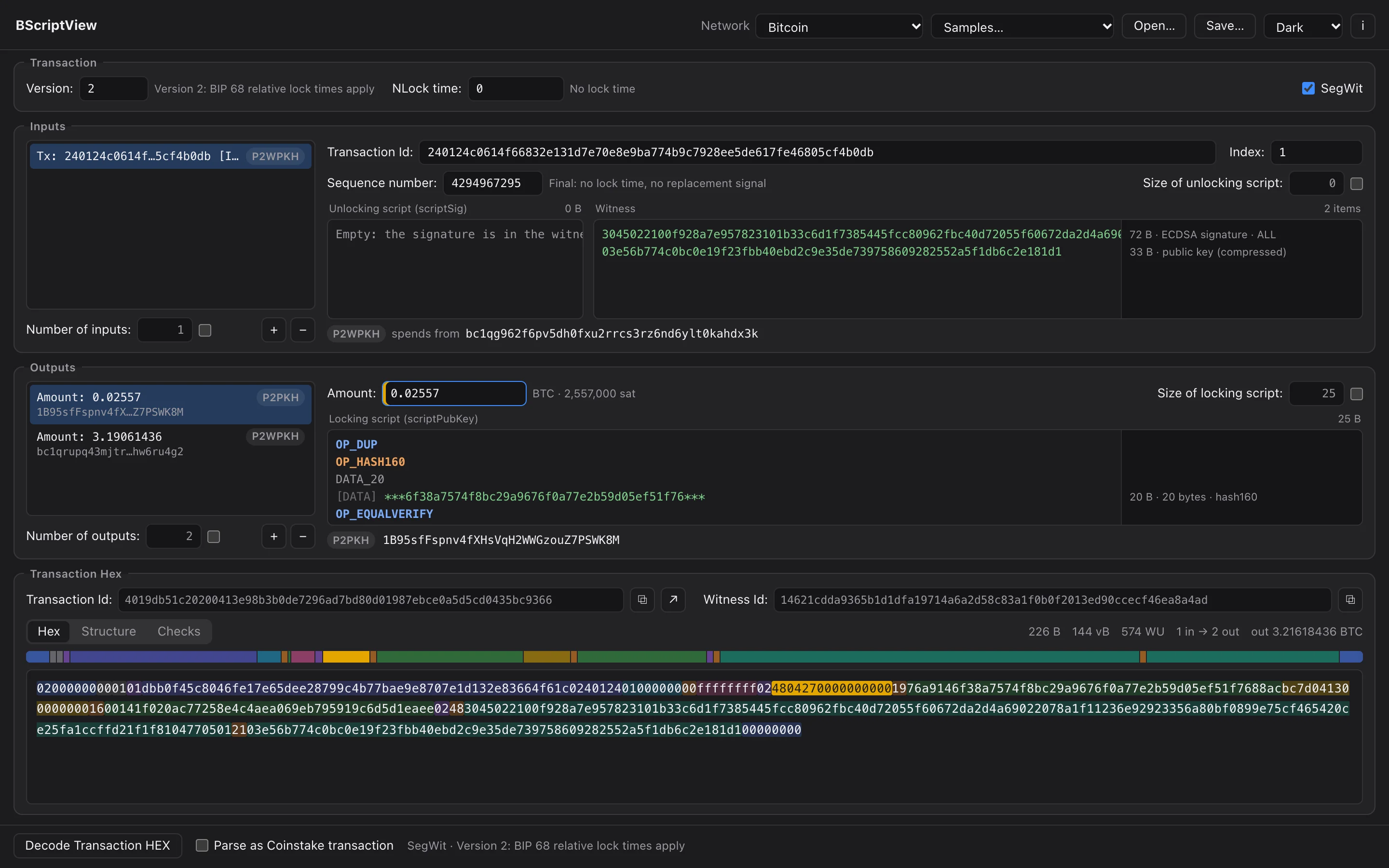
Paste a raw transaction and BScriptView splits it into its version, inputs, outputs, scripts, witnesses and lock time, and marks where every one of them sits in the hex.
Then edit either side: change a field and the hex is rewritten, change the hex and the fields follow. Scripts read one operation per line with every signature and key explained, and the Checks tab says what Bitcoin Core would make of it. SegWit, Taproot and version 3 transactions included.

- Free
- Freeware for macOS, and free to use in the browser
- Byte-exact
- Edit one field and only its bytes change
- SegWit · Taproot · v3
- Up to date with Bitcoin Core 30 policy
- 0 bytes
- Uploaded: decoded on your Mac or in your browser
Features
Every byte accounted for.
One window, four parts, as in the original. Each feature has its own page, with screens in light and dark.
- Hex
Decode & Edit
Paste a raw transaction and it splits into version, inputs, outputs, scripts, witnesses and lock time. Change any field and the hex is rewritten, byte for byte.
Read more 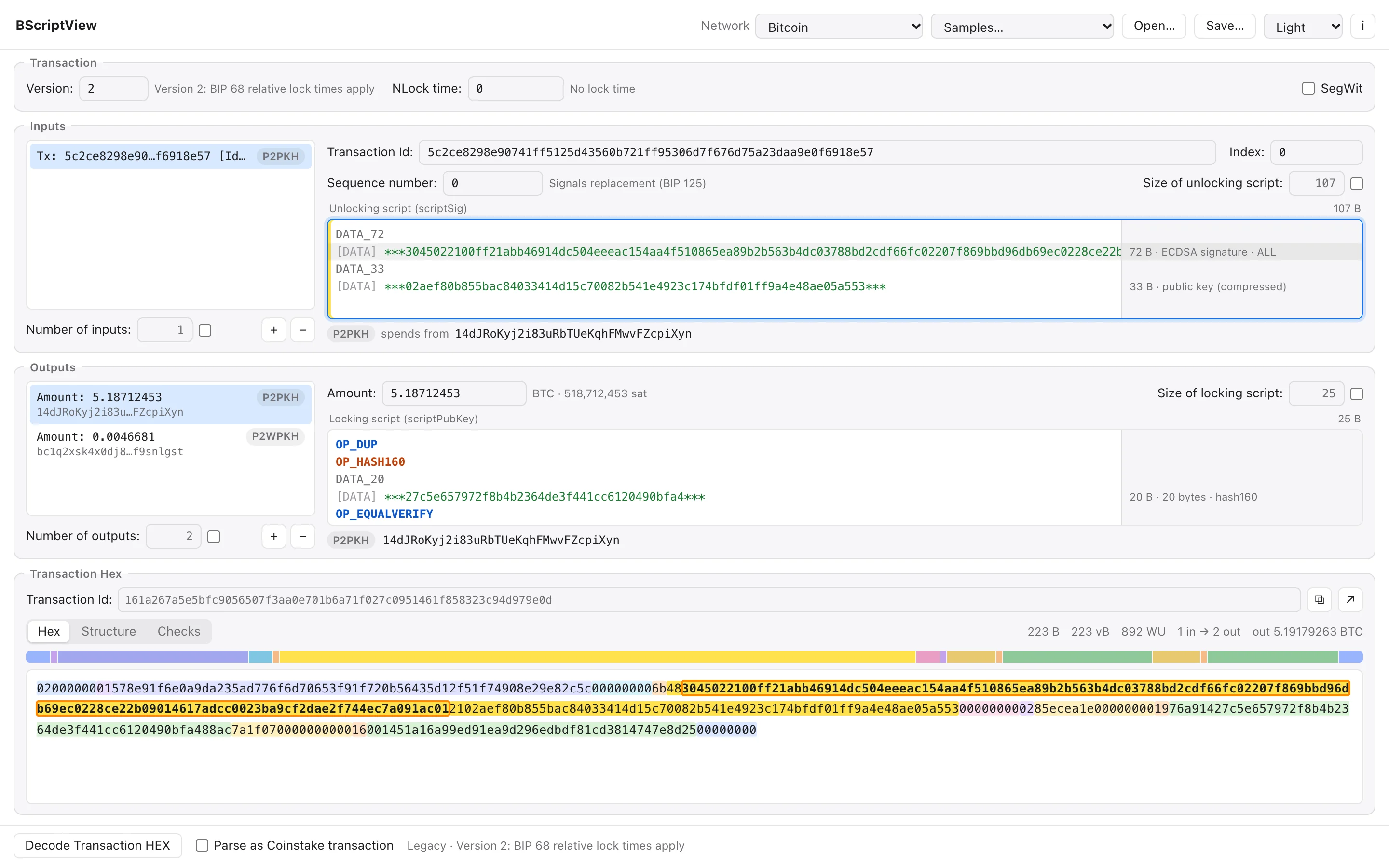
 Scripts
Script Editor
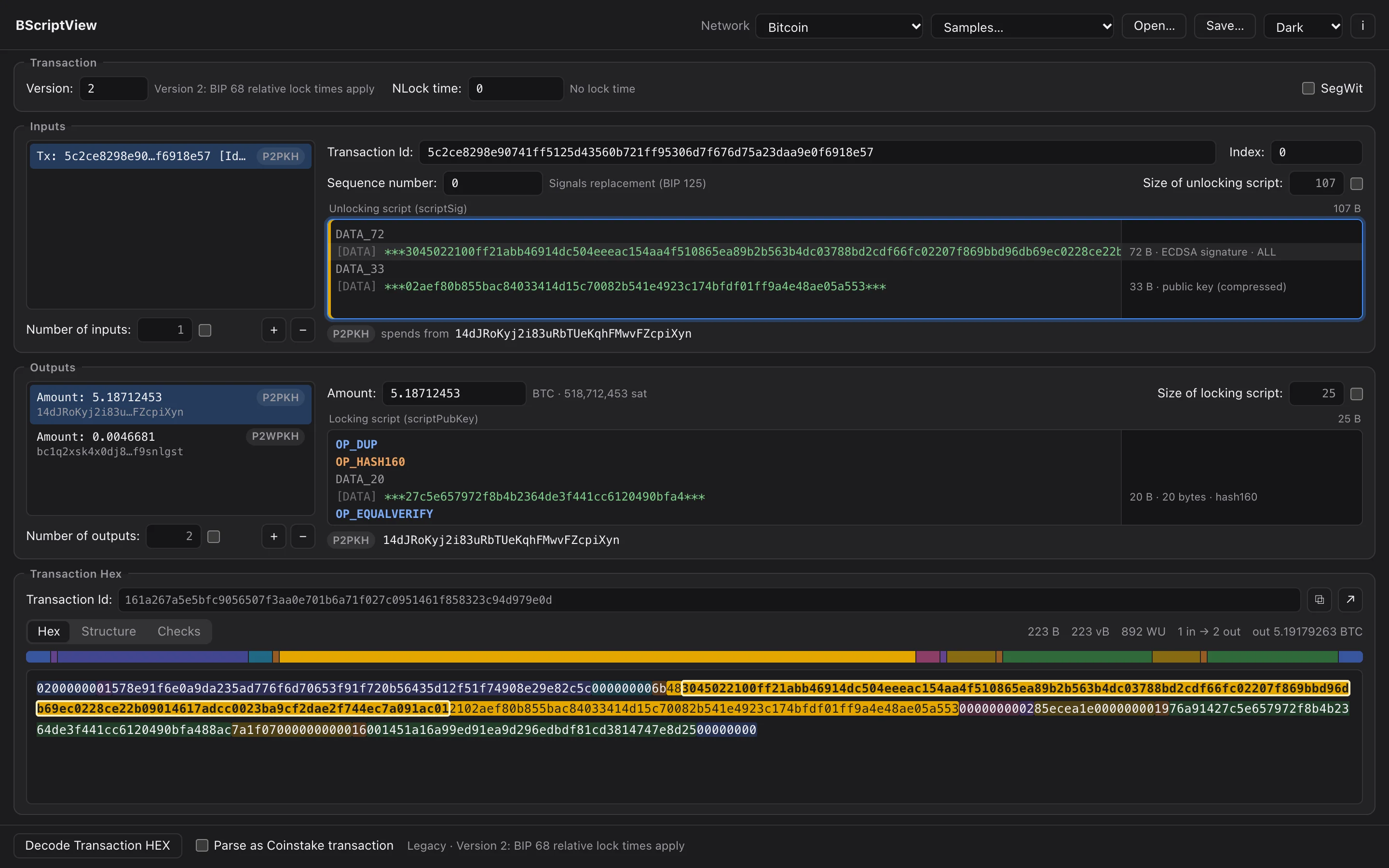
Unlocking and locking scripts in TransactionBuilder's line format, with syntax colours, the bytes of the caret's line marked in the hex and a note for every pushed item.
Read more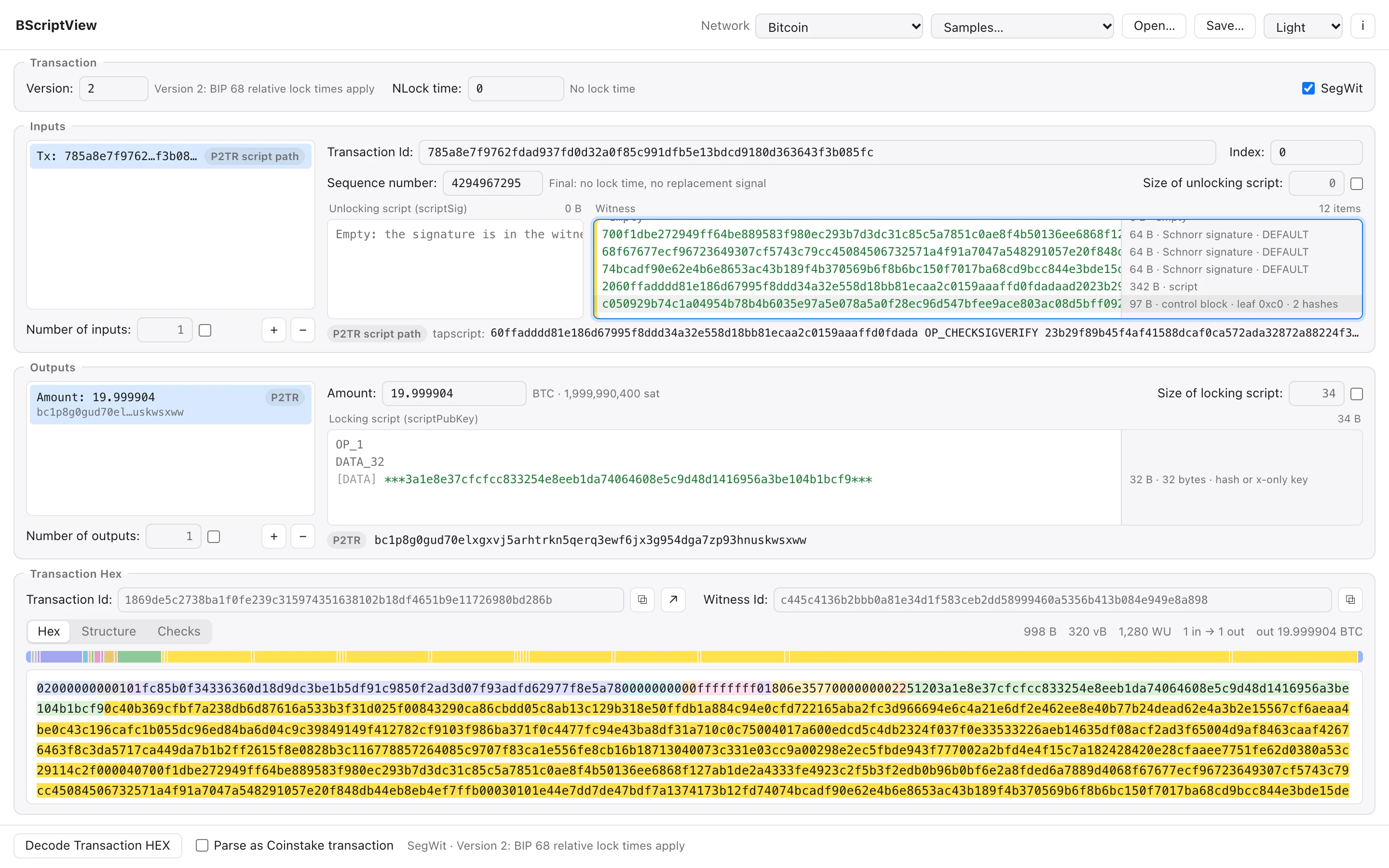
 Scripts
Witness & Taproot
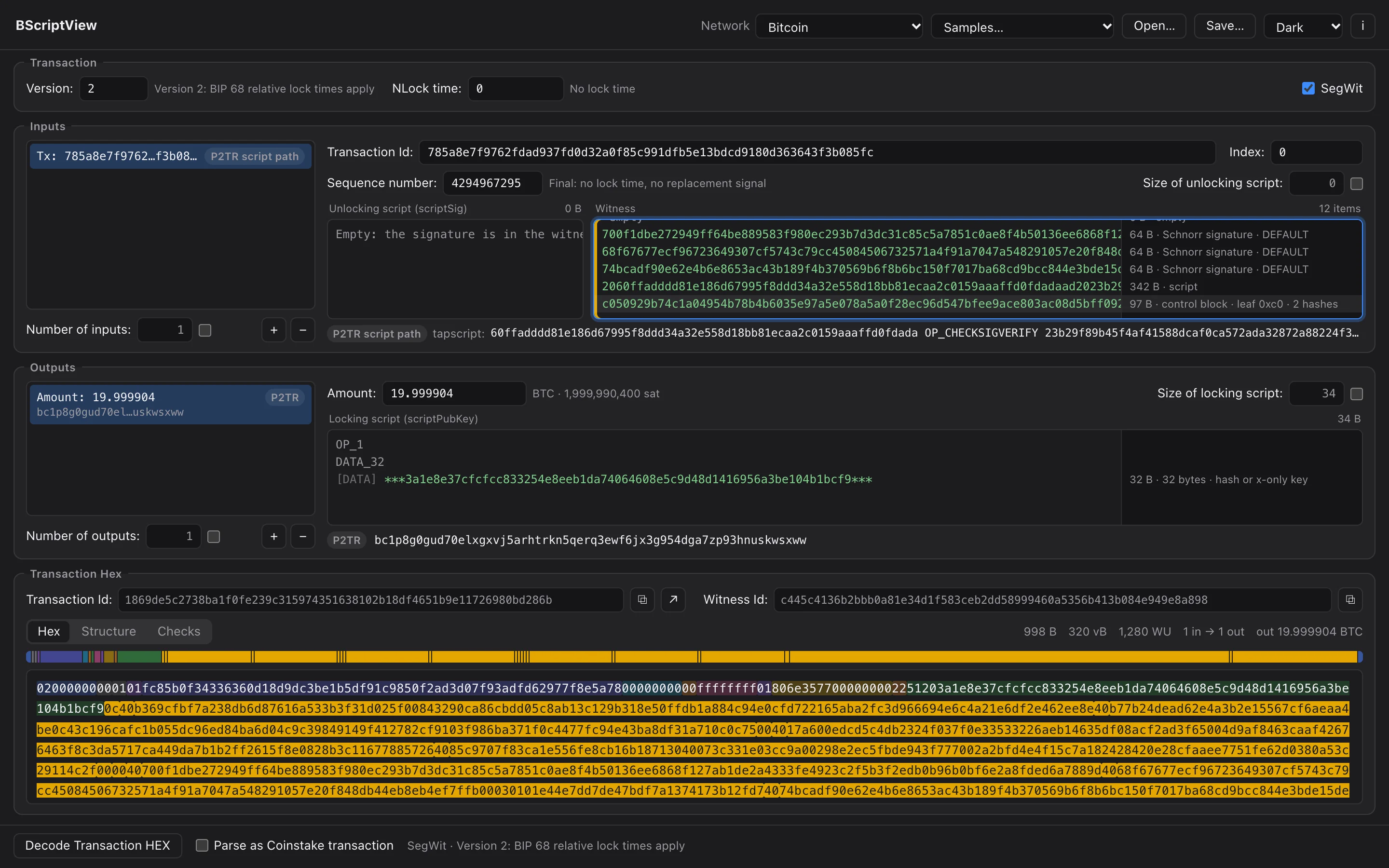
Witness stacks one item per line next to the scriptSig, with Schnorr signatures, leaf scripts, control blocks and annexes recognised.
Read more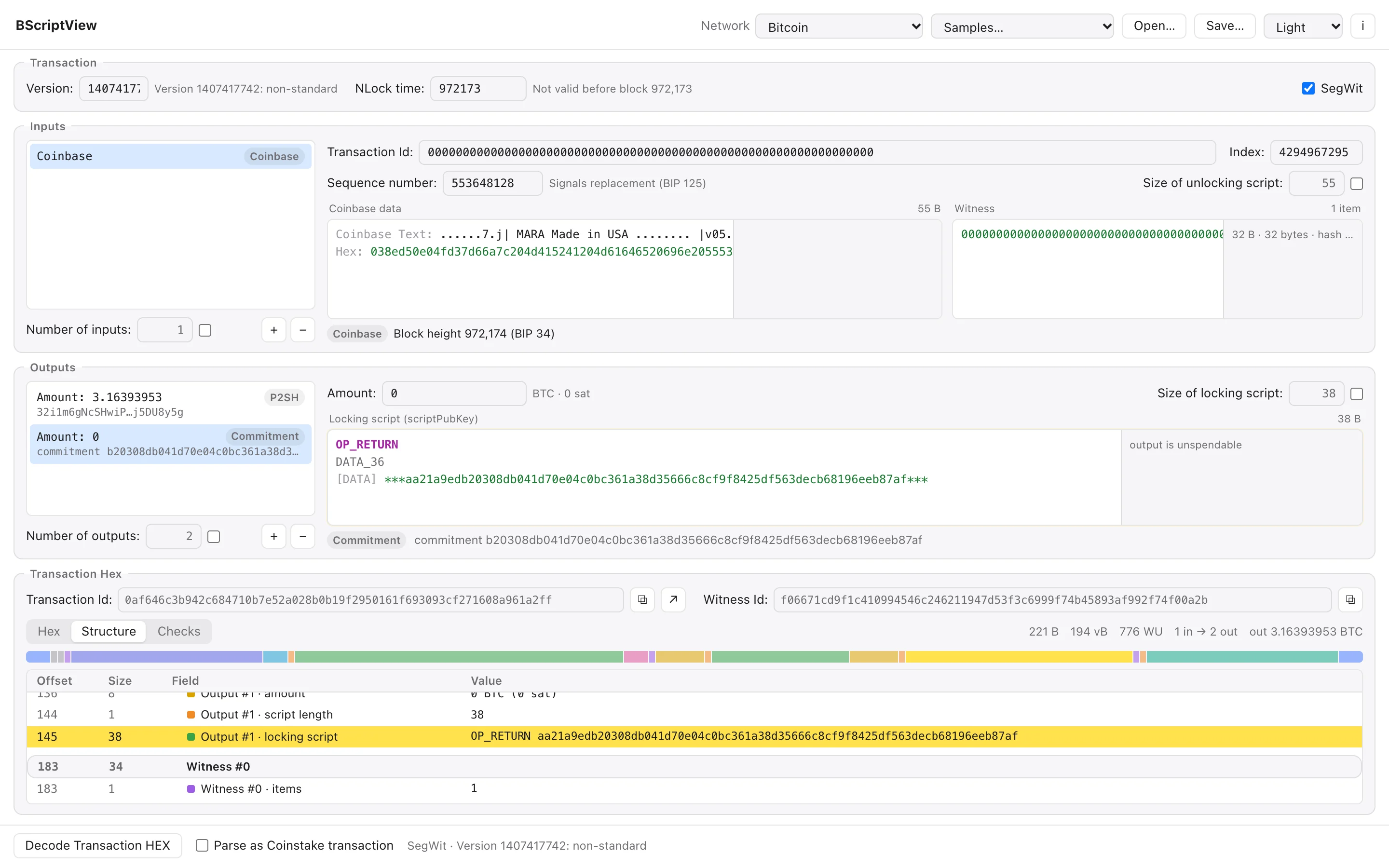
 Hex
HexStructure
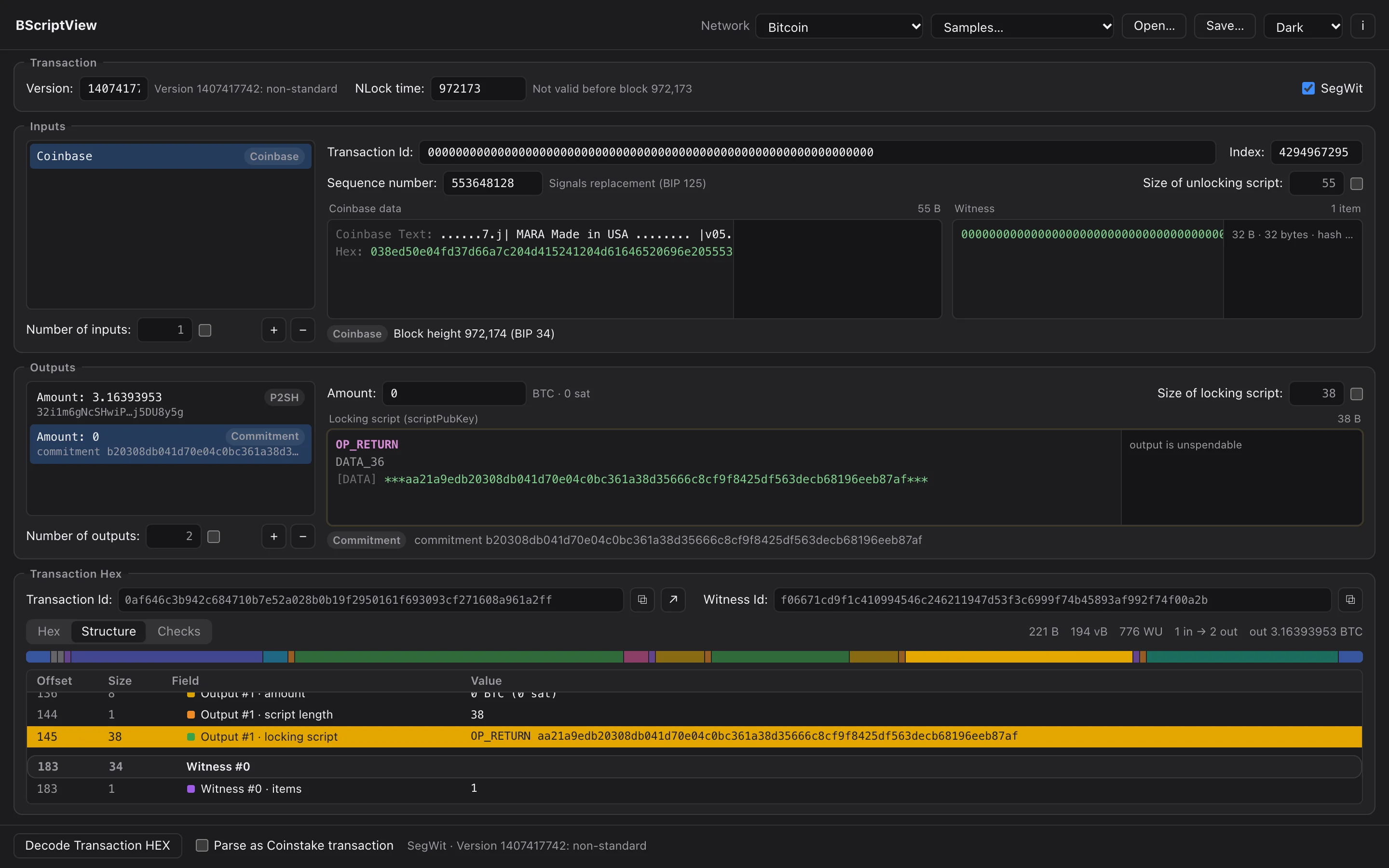
A table of every field and group with its offset, size and decoded value, and a byte map of the whole transaction above the hex.
Read more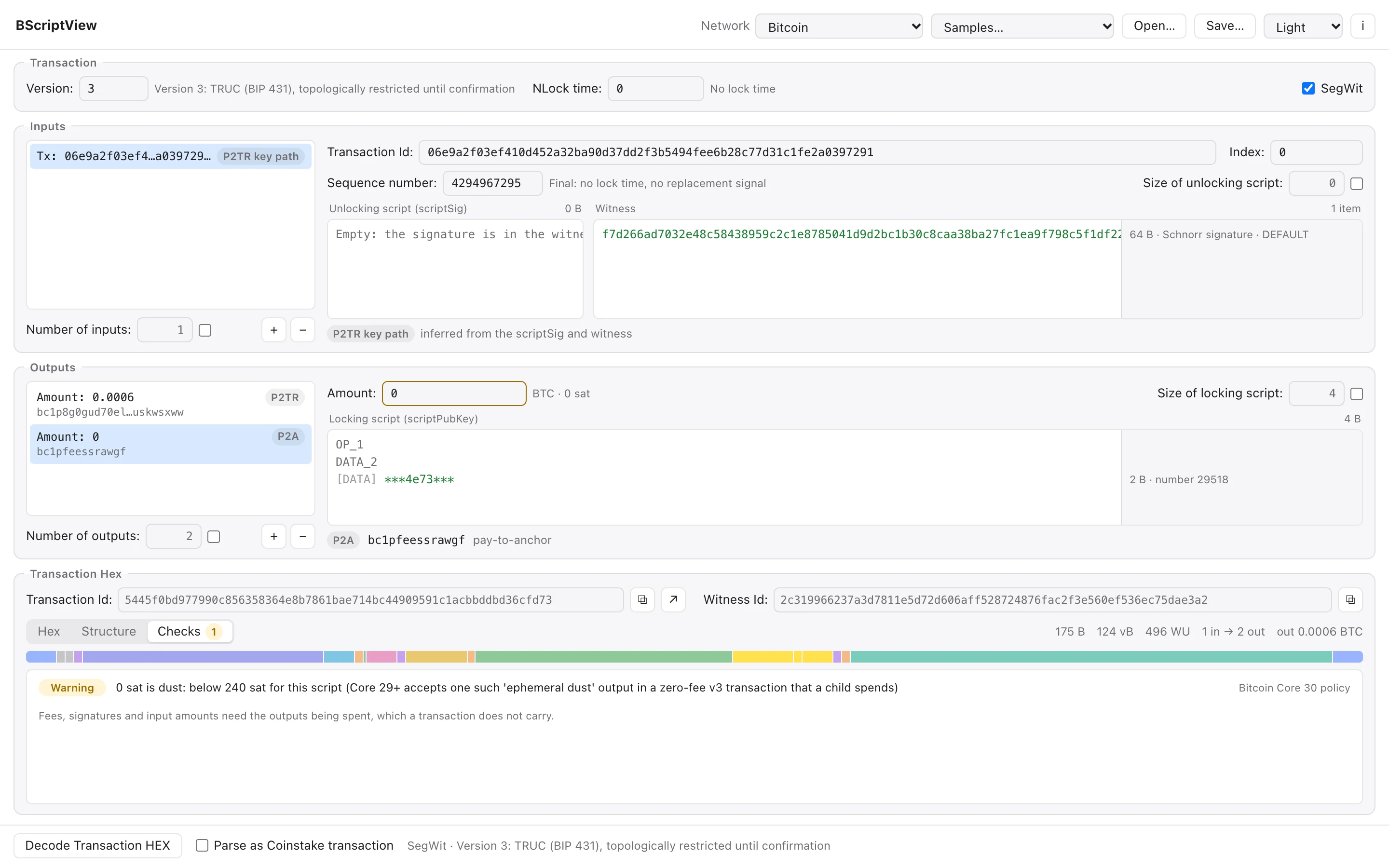
 Analysis
Checks
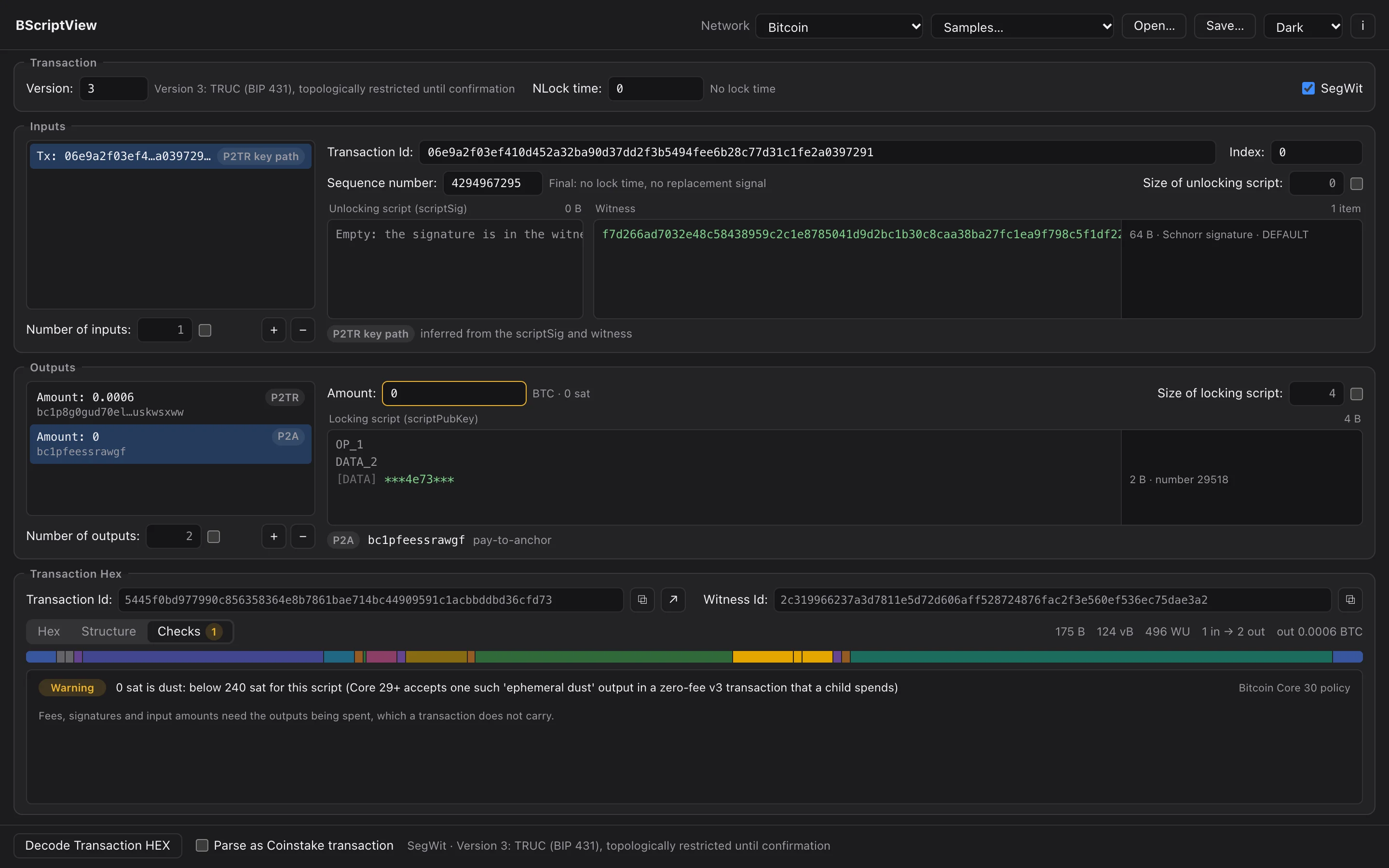
Consensus rules and, on Bitcoin, the relay policy of Bitcoin Core 30: versions, weight, dust, TRUC, OP_RETURN and more, each linked to its field.
Read more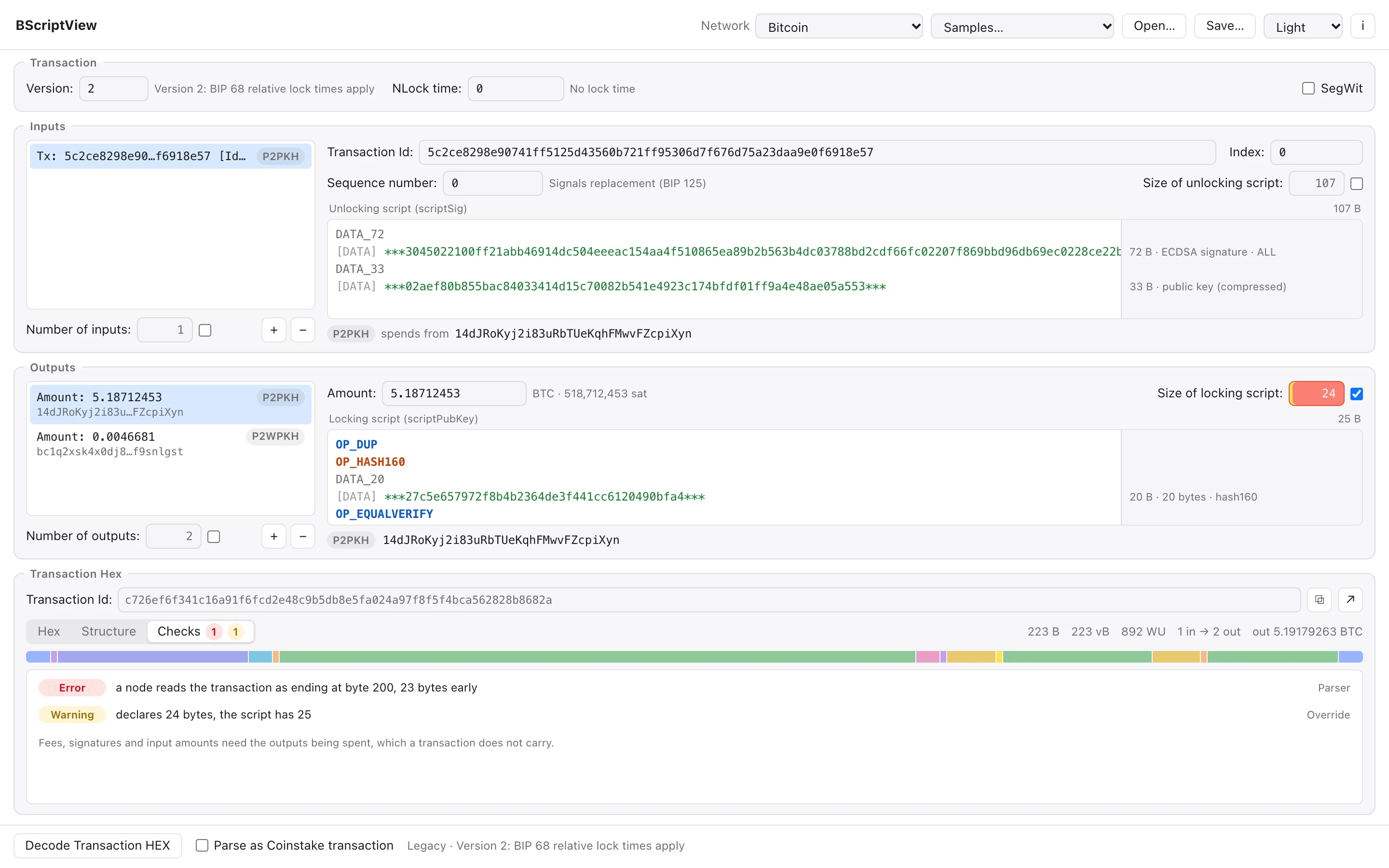
 Analysis
Crafting
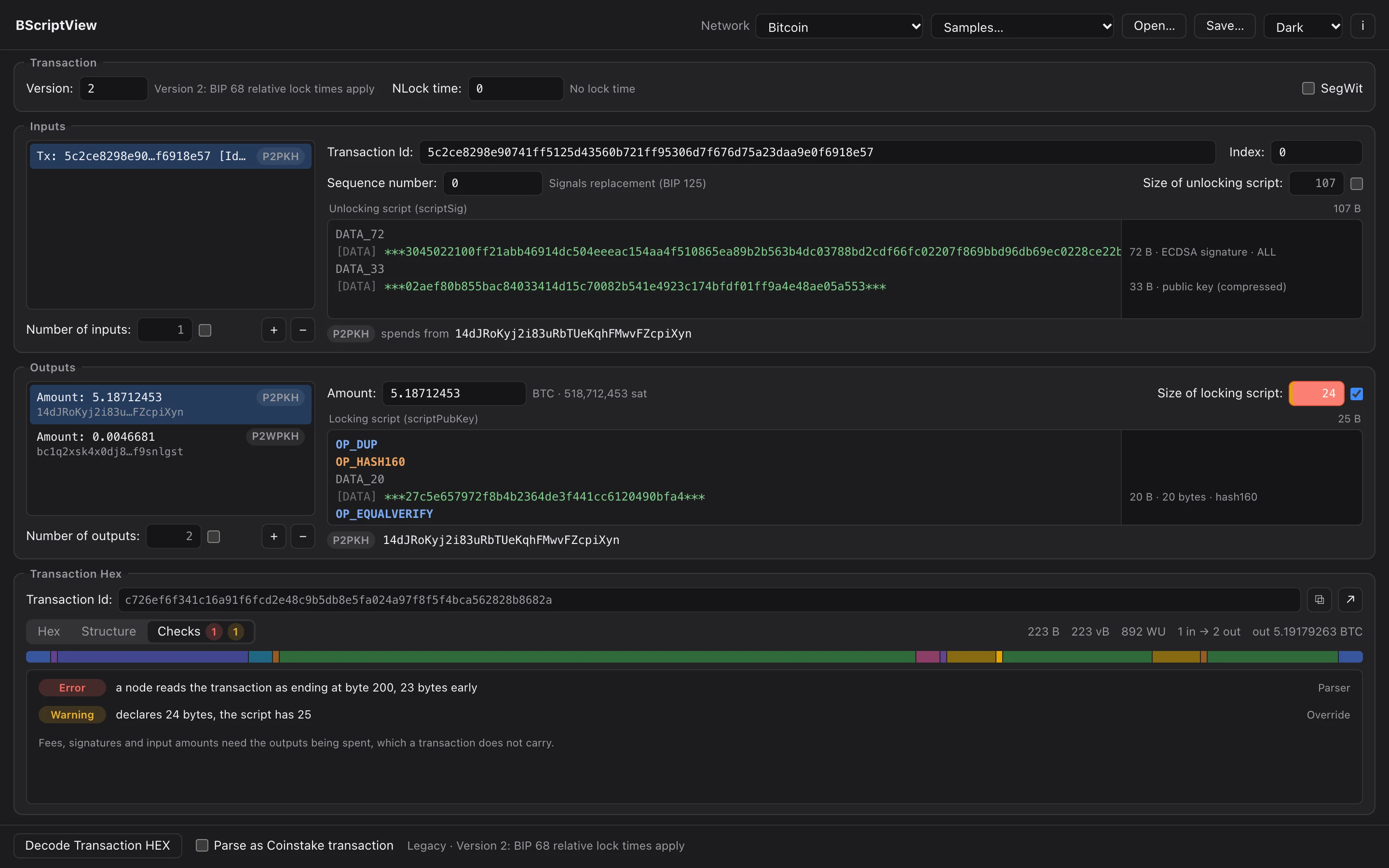
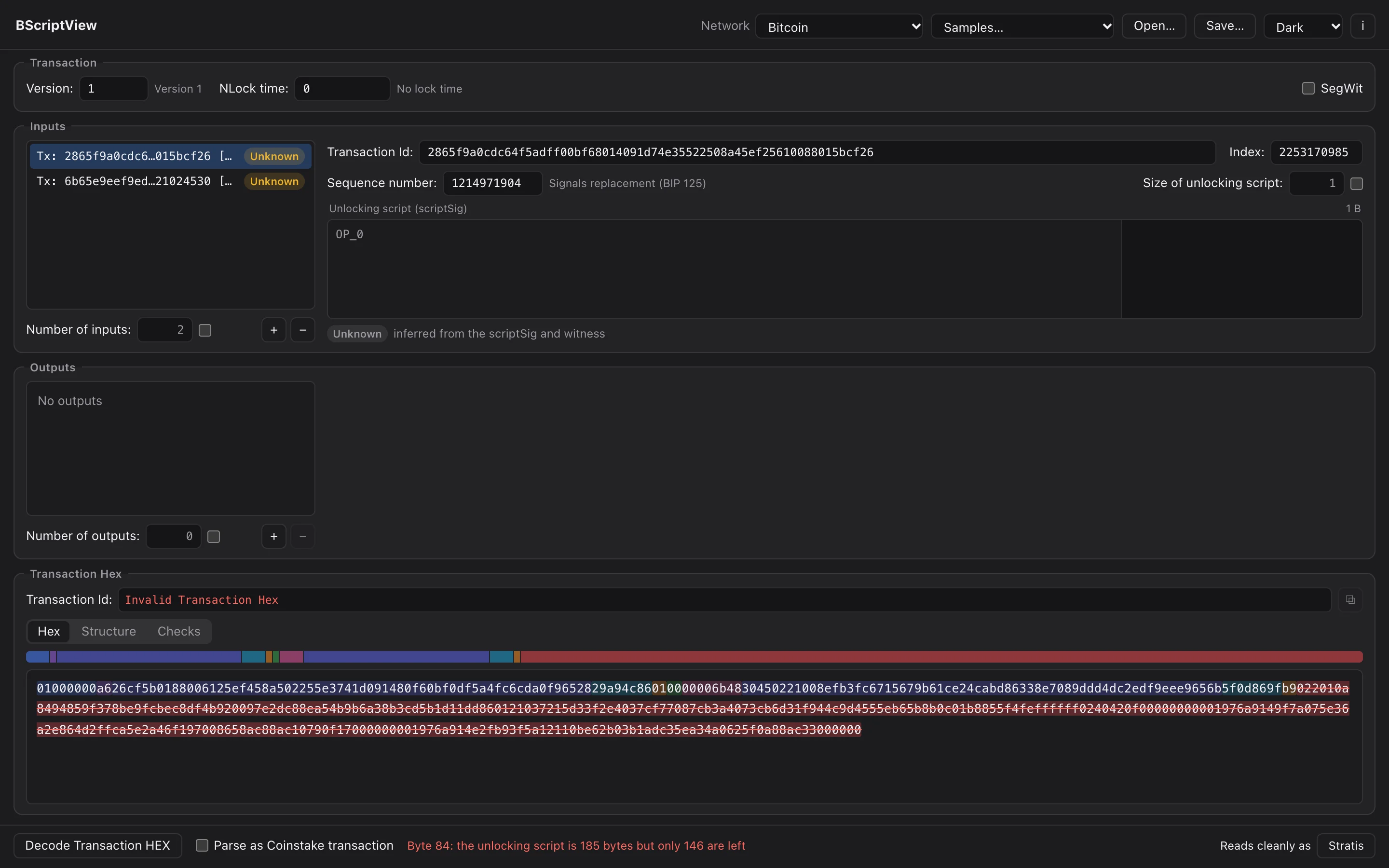
Unlock a count or a script length to write any value, add bytes no parser expects, and see exactly how a node would read the result.
Read more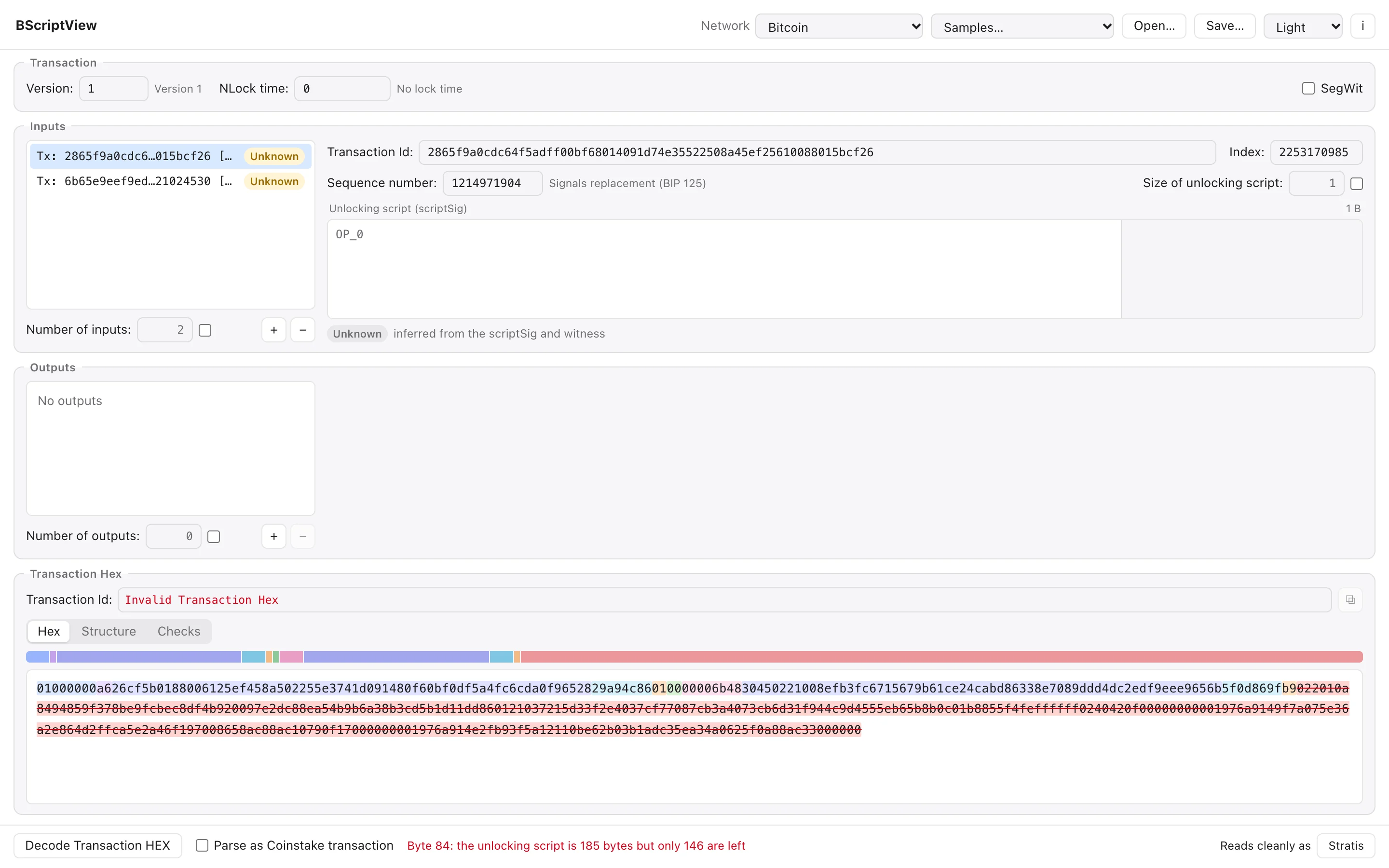
 Analysis
Networks
Bitcoin, testnet and signet, Litecoin, Dogecoin and Stratis, with their own address prefixes and, for Stratis, the proof-of-stake timestamp field.
Read more
How it reads a transaction
From hex to meaning, and back.
The same engine runs the Mac app and the browser version: a parser written for this tool, in Rust.
Read
The hex is read field by field, exactly as Bitcoin Core reads it, SegWit marker and witnesses included.
Map
Every field remembers the bytes it came from, so the hex can mark it and a click on a byte can find it.
Explain
Scripts become one operation per line; signatures, keys, hashes, leaf scripts and control blocks are named.
Edit
Change a field and the transaction is written again, byte for byte, with new ids and sizes.
Check
Consensus rules and relay policy are checked, and each finding points at its field.
- Keeps goingBroken or half-typed hex is read as far as it goes.
- Two referencesTested against rust-bitcoin and mempool.space.
- Its own parserWritten for this tool, so other chains fit in.
- TransactionBuilder's heirThe same window, with the 2019 parser's bugs fixed.
A look inside
All featuresNo install
Try it right here.
The browser version is the same tool, engine and window, running in the page. Paste a transaction or open one of the samples.
Private by design
Your transactions stay with you.
Nothing leaves your Mac
The app makes no network connections. Transactions are decoded on your computer; the explorer button opens a block explorer in your browser only when you click it.
The browser version too
Try online runs the same engine compiled to WebAssembly in the page. What you paste is decoded in your browser and is not sent to any server.
Read-only by nature
BScriptView never broadcasts anything and holds no keys. The only file it writes is a transaction you choose to save.